
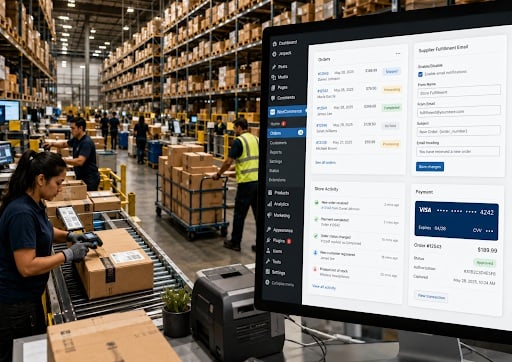
Why WooCommerce Store Owners Are Looking to Replace Plugin Stacks With Modular Toolboxes
WooCommerce has always been attractive to ecommerce specialists because it gives WordPress store owners control. Merchants can own their hosting, choose their checkout flow, customize product pages, manage customer data and avoid being locked into a closed commerce platform. But that freedom has created a familiar operational problem: the typical WooCommerce store often becomes dependent on a growing stack of small plugins, each solving one narrow issue.
A store may install one plugin to edit checkout fields, another to add product tabs, another to generate invoices, another to export customers, another to redirect thank you pages, another to send post purchase emails and another to notify staff about order activity. On paper, each plugin solves a real problem. In practice, the stack can become difficult to manage, especially for agencies and ecommerce specialists who maintain multiple client stores.
That is the gap Sitetrail is targeting with Woo Toolbox, a modular WooCommerce plugin designed to bring several practical store controls into one lightweight toolkit. Rather than competing as a full enterprise commerce platform, Woo Toolbox focuses on the recurring questions store owners ask when they need more than default WooCommerce, but do not want a heavy collection of separate extensions.
For store owners and agencies that want to test the plugin in their own hosting environment, Sitetrail offers a free trial through its product page: Get Woo Toolbox From Sitetrail.
The Real Problem: WooCommerce Plugin Sprawl
Plugin sprawl does not usually happen overnight. It happens one operational problem at a time.
A client asks if the checkout page can collect delivery instructions. A developer adds a checkout field plugin. A retailer wants size charts. Another product tab plugin is installed. A B2B customer asks for downloadable invoices. A separate invoice plugin is added. A supplier needs to receive orders by email. A custom snippet or fulfillment plugin is introduced. A store owner wants monthly sales summaries. Another reporting plugin enters the stack.
Individually, these decisions are rational. Collectively, they create maintenance risk. Every plugin adds another update schedule, support dependency, possible compatibility issue, settings screen and performance consideration. This is especially relevant for ecommerce specialists who manage multiple WordPress stores and need repeatable systems.
The latest Woo Toolbox positioning reflects that reality. It is best understood as a middle market tool for WooCommerce stores that need practical operational controls without turning every small requirement into a separate plugin purchase.
Woo Toolbox as a Modular Store Operations Layer
Woo Toolbox is a modular WooCommerce plugin that helps store owners replace several small single purpose plugins with one lightweight toolkit for checkout, product pages, supplier emails, invoices, exports, redirects, reports and admin notifications.
The modularity matters. Not every store needs every tool. A simple retailer may only need checkout customization, invoices and customer export. A product heavy store may care more about product tabs, size guides and Add to Cart button text. A store using third party suppliers may find supplier notification emails more valuable than reports. The point is that each feature can support a practical workflow without forcing the entire store into a complicated platform.
For ecommerce specialists, that makes the plugin more useful than a broad feature list suggests. It can become a standardized toolkit for recurring WooCommerce problems.
Checkout Field Editing Without Code
One of the most common WooCommerce searches is simple: how do I customize WooCommerce checkout fields?
Store owners often want to hide fields they do not need, rename labels, reorder the checkout form, make fields required or optional, add delivery instructions or ask customers how they heard about the business. These changes matter because checkout is where friction, confusion and missing information can directly affect conversion and fulfillment.
Woo Toolbox includes checkout settings for the classic WooCommerce checkout page. Store owners can hide, rename, reorder and require fields. They can add messages above or below checkout, collect delivery instructions and add a basic attribution question such as “How did you hear about us?”
This feature overlaps with tools such as Flexible Checkout Fields by WP Desk and Checkout Field Editor and Manager for WooCommerce by Acowebs. Those are dedicated checkout field products. Woo Toolbox does not need to beat every advanced checkout field editor to be useful. Its value is that many stores only need the practical version of checkout control, alongside other store operations features.
Product Tabs, Size Guides and Better Product Pages
Product page customization is another common WooCommerce need. Default product pages can be too limited for stores selling apparel, furniture, beauty products, tools, supplements, technical equipment or B2B products.
A store may need tabs for warranty details, shipping information, ingredients, FAQs, technical specifications, returns policy or care instructions. Fashion and footwear retailers often need size guides or size charts. B2B stores may need different product information for different items.
Woo Toolbox allows store owners to rename, hide or reorder default WooCommerce product tabs such as Description, Reviews and Additional Information. It also supports custom product tabs, global tabs, per product tabs and size guide or size chart tabs.
This overlaps with products such as Custom Product Tabs Manager by Addify, Custom Product Tabs for WooCommerce by Web Builder 143 and other product tab focused plugins. Again, the difference is consolidation. A store that needs product tabs plus checkout fields, invoices, supplier emails and reports may not want yet another standalone plugin for each function.
Storefront Controls: Add to Cart Text, Trust Lines and Minimum Orders
Many WooCommerce customization requests are small but commercially meaningful.
Store owners ask how to change the Add to Cart button text. They want “Buy Now,” “Book Now,” “Order Today” or “Request Service” instead of the standard wording. They ask how to add trust messages under the button, such as secure checkout, fast delivery or easy returns. They ask how to set a minimum order amount or minimum quantity before customers can check out.
Woo Toolbox includes these storefront controls. It can change Add to Cart text on product and shop pages, show trust or reassurance lines under the button, and enforce minimum order amount or total cart quantity rules.
This is the type of feature set that looks modest until a store actually needs it. For wholesale, local delivery, food, low margin goods and B2B stores, minimum order rules can protect profitability. For product pages, trust lines and button text can improve clarity near the purchase decision.
These features may reduce the need for tools such as Custom Add To Cart Button for WooCommerce by Kestrel or minimum and maximum quantity plugins, provided the store only needs straightforward rules.
Supplier and Dropship Fulfillment Emails
The supplier fulfillment feature is one of the more distinctive parts of Woo Toolbox because it moves beyond cosmetic customization and into operational workflow.
Many WooCommerce stores do not run a fully automated dropshipping or warehouse system. They sell products fulfilled by a local supplier, printer, florist, custom manufacturer, distributor, warehouse or dropshipping partner. The practical need is often simple: when an order is ready, send the right order details to the right partner.
Woo Toolbox allows products to be assigned to suppliers, dropshippers or fulfillment partners. When a paid order reaches the relevant stage, the plugin can email the correct partner with the product details, quantities, customer shipping information, supplier SKU, fulfillment notes and delivery instructions. If an order contains products from multiple suppliers, partner emails can be grouped correctly. Duplicate send protection helps reduce accidental repeat notifications.
This is not positioned as full dropshipping automation. It does not promise inventory sync, tracking number integration, supplier portals or API fulfillment. That limitation is important. The feature is a lightweight supplier email workflow for stores that still manage fulfillment through email based coordination.
For many smaller WooCommerce stores, that may be exactly enough.
Invoices Customers Can Download or Email
Invoice requests are a recurring support burden for WooCommerce stores, especially B2B sellers, digital product businesses and international merchants.
Woo Toolbox lets logged in customers download an invoice from My Account or email the invoice to their billing address. The invoice includes professional details such as company name, address, tax ID, customer details, order items, tax, shipping, discounts and totals. It uses browser based invoice rendering so customers can print or save the invoice as a PDF through the browser.
This is different from full PDF invoice systems. Dedicated invoice products such as PDF Invoices & Packing Slips for WooCommerce by WP Overnight and WebToffee invoice tools may be better for stores needing deeper PDF workflows, packing slips, credit notes or document automation. Woo Toolbox is more suitable for stores that need simple invoice self service as part of a broader WooCommerce toolkit.
Customer Invoice Details for B2B Buyers
B2B invoicing often fails because the customer’s company name or tax ID is missing at the time an invoice is requested. Woo Toolbox addresses this with customer invoice details management.
Customers can add or update company name and tax ID details inside My Account. Those details can then appear on their invoices. This reduces the need for store staff to manually correct invoices or ask customers to send billing information by email.
For ecommerce specialists working with business customers, this is a practical feature because it reduces support friction and gives customers more control over their own billing data.
Customer Export to CSV
Customer exports remain a common need for reporting, CRM migration, analysis and marketing operations. Woo Toolbox includes CSV customer export with filters by registration date, purchase date, purchased products and purchase type. Exportable data can include names, emails, phone numbers, registration dates, total orders, total spent, last purchase dates and billing or shipping details.
This overlaps with more advanced export tools such as WooCommerce Customer, Order and Coupon Export by SkyVerge. The key difference is depth. Advanced export plugins remain useful for more complex data workflows. Woo Toolbox is designed for practical customer exports that many stores need quickly.
Post Purchase Emails and Bulk Email
Woo Toolbox includes both automated email sequences and manual bulk email.
Post purchase sequences can be set per product, allowing stores to send timed follow ups after order completion. This can support onboarding, review requests, care instructions, replenishment reminders or complementary product offers. Bulk email is different. It is a one time campaign sent manually to all customers or customers who bought selected products.
These features are not meant to replace advanced email marketing platforms for every business. They are better viewed as built in WooCommerce communication tools for stores that need simpler customer messaging tied to purchases.
Because email deliverability depends on the store’s mail setup, SMTP remains important. Ecommerce specialists should treat SMTP as part of the implementation checklist.
Thank You Page Redirects
After checkout, many stores want to send buyers somewhere more useful than the default WooCommerce order received page. Digital product buyers may need a download page. Service buyers may need an onboarding form. Subscription buyers may need a welcome page. Campaign buyers may need a specific post purchase experience.
Woo Toolbox supports thank you page redirects globally or per product. This overlaps with plugins such as Thank You Page for WooCommerce by Nitin Prakash and WooCommerce Redirect Thank You by Shop Plugins.
For stores needing simple redirect logic, this can remove another single purpose plugin from the stack.
Store Activity and Admin Notifications
The newest WooCommerce operations feature inside Woo Toolbox is Store Activity. It adds a live admin notification feed for real store events inside WordPress admin.
The feature is designed for administrators, shop managers and ecommerce administrators. It can show activity such as new orders, large orders, first orders, refunds, cancellations, payment issues, low stock events and approved product reviews. It includes an admin bar bell, unread count and shared activity feed.
This helps answer a common operational question: how can staff see important WooCommerce activity without constantly checking order screens, stock pages or reviews?
It is not customer facing and does not replace mobile push notifications, SMS or external alert systems. Its value is internal visibility for teams working inside WordPress.
Monthly Sales Reports
Woo Toolbox also includes monthly sales reports by email. These can summarize revenue, order count, average order value, new customers, returning customer rate, top products and top customers.
For smaller store owners, a scheduled monthly report can be more useful than expecting them to constantly review analytics dashboards. For agencies, it creates another lightweight operational touchpoint that can keep clients aware of performance.
Which WooCommerce Plugins Can Woo Toolbox Potentially Replace?
The strongest strategic case for Woo Toolbox is not that it replaces every specialist plugin outright. The stronger claim is that it may reduce reliance on several lightweight single purpose plugins when a store needs practical versions of common features.
For checkout fields, it overlaps with Flexible Checkout Fields by WP Desk and Checkout Field Editor and Manager for WooCommerce by Acowebs.
For product tabs, it overlaps with Custom Product Tabs Manager by Addify, Custom Product Tabs for WooCommerce by Web Builder 143 and earlier tab focused tools associated with Code Parrots.
For invoices, it overlaps with lighter use cases served by PDF Invoices & Packing Slips for WooCommerce by WP Overnight and WooCommerce invoice plugins by WebToffee.
For thank you redirects, it overlaps with Thank You Page for WooCommerce by Nitin Prakash and WooCommerce Redirect Thank You by Shop Plugins.
For Add to Cart text, minimum order rules, supplier notifications, customer exports and store activity, it can potentially replace smaller plugins or custom snippets used to handle those specific needs.
The phrase “potentially replace” matters. A complex store may still prefer dedicated specialist plugins. But many WooCommerce stores are not complex enough to justify seven or eight separate extensions for practical operational controls.
Sitetrail’s Wider Product Push
The Woo Toolbox update is part of a wider product cycle at Sitetrail. According to Adriaan Brits, CEO of Sitetrail and a marketing technologist, the company had a busy second quarter, with updates to Woo Toolbox and AI Live Chat PRO, as well as preparation for the beta release of MSCP.
“WooCommerce specialists are not short of plugins,” Brits said. “They are short of cleaner systems. The market is moving toward tools that reduce operational clutter while still solving the exact problems store owners search for every day.”
AI Live Chat PRO is Sitetrail’s intelligent AI chatbot product for businesses that want more control over how chat data is hosted and managed. That positioning may appeal to organizations concerned with GDPR and sensitive data workflows, including U.S. healthcare environments where HIPAA related data governance may influence technology decisions.
Sitetrail is also preparing the beta release of MSCP, its Marketing Strategy Central Planner platform. MSCP is designed to help businesses and agencies plan visibility, PR, content and marketing activity around structured strategic cases. Its commercial value is centralization: it helps teams move from scattered marketing ideas to a more organized planning environment with channels, budgets, timelines and stakeholder ready outputs.
Why This Matters for WordPress Ecommerce Teams
WooCommerce will likely remain attractive to ecommerce specialists because it provides control, extensibility and ownership. But control only remains valuable if the store does not become overly fragile. Too many small plugins can create hidden complexity.
Woo Toolbox reflects a broader direction in WordPress ecommerce: consolidate practical store controls without removing flexibility. For store owners, that means fewer separate plugins to evaluate. For agencies, it means a more repeatable toolkit. For developers, it means fewer small customization requests that require snippets or one off plugins.
The real opportunity for Woo Toolbox is not merely feature count. It is problem coverage. It matches the everyday questions that send WooCommerce store owners to Google or AI search: how to edit checkout fields, how to add product tabs, how to create invoices, how to export customers, how to send orders to suppliers, how to change Add to Cart text, how to set a minimum order amount and how to see store activity in admin.
That makes it a credible product to watch in the growing category of modular WooCommerce toolboxes.

